
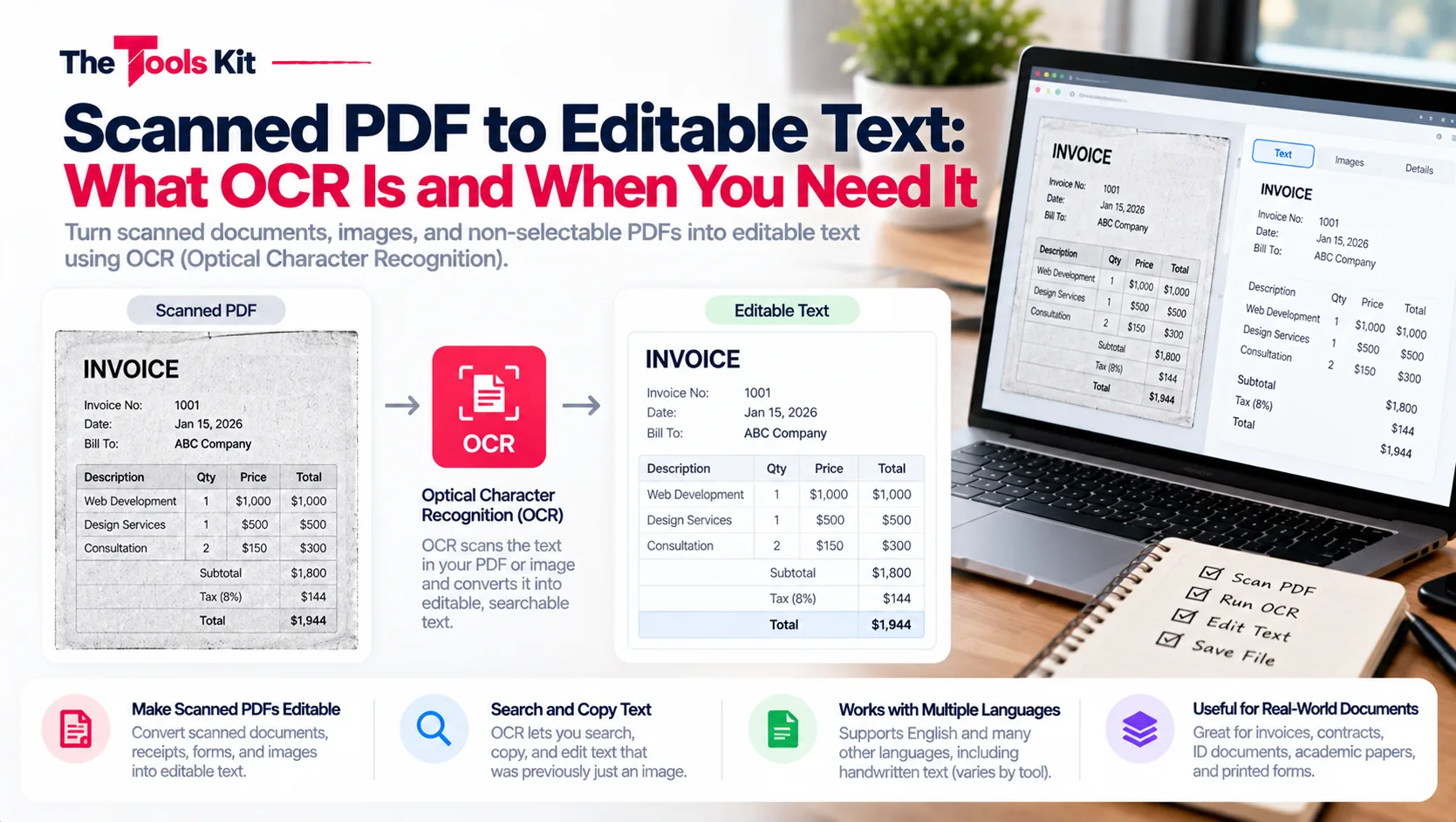
Key takeaways
- OCR, Optical Character Recognition, turns a picture of a page into editable text and is required only when a document is a scan rather than a digital file.
- A text-based PDF to Word converter cannot read a scan because the file contains only pixels, so run OCR before any conversion step.
- Scanning at 300 DPI or higher and keeping the page straight in the frame fixes most OCR accuracy problems before they start.
- Clean, high-resolution scans of printed text recognise well, while faint or skewed scans, decorative fonts, tables and especially handwriting produce frequent OCR errors.
OCR stands for Optical Character Recognition. It is software that looks at a picture of a page, works out which shapes are letters and numbers, and turns them into real, editable text. You need it exactly once in your workflow: when your document is a scan rather than a true digital file.
How to tell if you need OCR
Open the PDF and try to select a sentence with your cursor. Text that highlights is real text, and you do not need OCR. A page that behaves like a photo, where nothing selects, is a scan, and you do need OCR. Documents from scanners, phone camera apps, and old fax archives are almost always scans. Documents exported from Word, Google Docs, or any app are almost always real text.
Why normal converters cannot read scans
A text based PDF to Word converter works by extracting the text that already exists inside the file. A scan contains no text at all, just pixels arranged in the shape of words. Asking a text extractor to convert a scan is like asking a copy machine to summarize a book. The right tool for reading pixels is OCR.
The correct workflow for a scanned PDF
- Run the scan through an OCR tool first. This adds a real text layer to the document or outputs the recognized text.
- Check the result. OCR is good but not perfect, so skim for errors.
- Convert or copy that text into Word and edit normally.
Doing these steps in the wrong order, converting first and OCR never, is the single most common reason people conclude that a converter is broken when it is actually working exactly as designed.
What affects OCR accuracy
Clean, high resolution scans of printed text recognize very well. Accuracy drops with faint or skewed scans, low resolution photos, decorative fonts, and tables. Handwriting is the hardest case, and even good OCR engines make frequent mistakes with it. Two practical tips: scan at 300 DPI or higher, and keep the page straight in the frame. Those two habits fix most OCR quality problems before they start.
The bottom line
OCR is not an optional extra. For scanned documents it is the step that creates the text everything else depends on. Run the highlight test, OCR the scans, and only then convert.