
Key takeaways
- Many resume builders are free to fill in and paid at the download, because the export is where your finished work gives the product the most leverage.
- Test a builder before writing: type one line and press Download; a price or sign-up form at that step means the PDF is paid.
- A browser print-to-PDF builder, a Google Docs or Word template, or an honestly stated free tier each give you a clean PDF for nothing.
- Applicant tracking systems read plain, single-column PDFs with selectable text best, which is usually the free template rather than the designed one.
The complaint is the same in every job-search forum: an hour spent filling in a resume builder, then a checkout page at the download button. The builder was free to use. The PDF was not. This is not an accident of design; the download is where the product has the most leverage, because your work is already inside it.
This guide explains how to tell in two minutes whether a builder will charge, what the usual catches look like, and three ways to get a finished PDF without paying.
The two-minute test
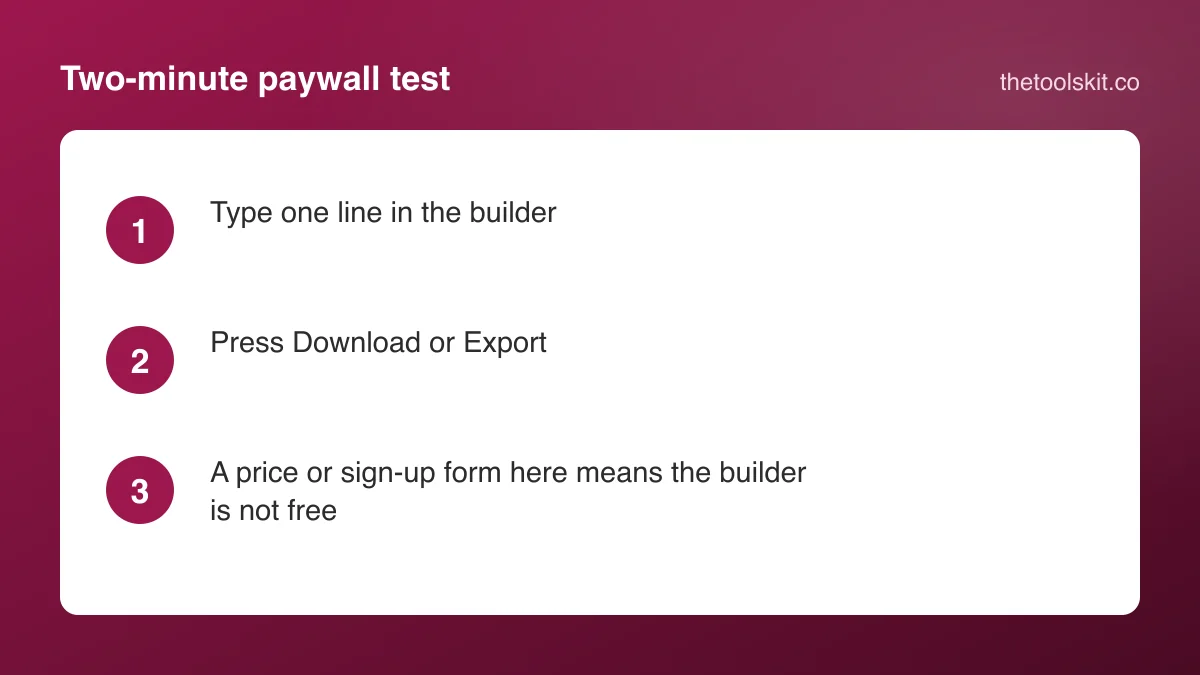
Before you type your work history, test the exit:
- Open the builder and type one line in the name field.
- Press the Download, Export or Save as PDF button.
- Look at what appears.
If the button opens your browser's print or save dialog, or downloads a file straight away, the builder is free to export. If it opens a sign-up form, a plan comparison or a price, it is a paid product with a free editor. Do the test on the same device you will use for the real resume, because some builders allow the first download on mobile and gate the desktop version, or the other way round.
The usual catches
- Free TXT, paid PDF. The plain-text download is free and the formatted PDF is behind a trial. A text file loses the layout you chose the builder for.
- Trial that converts. A 14-day trial for a small fee that renews at a monthly subscription unless cancelled. The fee is small; the renewal is the business.
- Watermark on the free tier. The PDF downloads, with the builder's name across it. Fine for a draft, not for an application.
- One free resume. The first PDF is free, and a second template or a second version is paid. Reasonable, but worth knowing before you build two versions for two roles.
- Account required to save. The editor works without an account; saving your progress needs one. Close the tab and the work is gone, which pushes you to sign up.
None of these are hidden if you read the pricing page first. The problem is that the editor is designed to be started before you do.
Three routes to a free PDF
1. A builder that prints to PDF from the browser
Our resume builder is built the way the two-minute test rewards. You fill in contact details, a summary, experience, education and skills; pick a Classic, Modern or Minimal template; and press Print / Save as PDF. That opens your browser's print dialog with only the resume on the page, and "Save as PDF" writes the file. There is no account, no price and no watermark, because the PDF is produced by your browser, not by a server.
What you give up: it is a single-column layout, there is no .docx export, no AI writing and no ATS score. Nothing is saved between visits either, so save the PDF before you close the page. If an application insists on a Word file, the PDF to Word converter turns the saved PDF into one.
2. A word processor template
Google Docs and Microsoft Word both ship resume templates, and both export to PDF without a fee. The layout control is better than most builders, and the file is yours to edit forever. What you give up: no live preview of the finished page while you type, and the templates with two columns or graphics can confuse applicant tracking systems. Keep to a single column with standard headings.
3. A builder with an honest free tier
Some builders state a free tier plainly: one resume, one template, free PDF, no watermark. These are usable if the stated limits fit your situation. Run the two-minute test anyway, and check the renewal terms before entering a card for anything.
What applicant tracking systems need
Whichever route you take, the PDF needs selectable text (not a scanned image), standard section headings (Summary, Experience, Education, Skills), a single column and no text inside images or tables. A browser-generated PDF from a text layout passes all four. A "designed" template with icons, columns and skill bars is the one most likely to parse badly, and it is also the one most builders put behind the paywall. The free, plain version is usually the better application.
A note on photos
In the US, Canada and the UK, most employers prefer no photo, to avoid bias concerns. In parts of Europe, the Middle East and Asia a photo is expected. A builder that forces a photo into the template, or charges to remove it, is making that decision for you. Our builder leaves it optional.
If you already paid
If you are reading this after a checkout page, check whether the fee was a trial. Cancel the renewal from the account page now, download the PDF you paid for, and keep a copy of the text in a document so you never need the builder again. Then run the two-minute test on the next one.
Frequently asked questions
Type one line in the builder and press Download before writing anything else. A browser print or save dialog, or an immediate file download, means the export is free. A sign-up form, a plan page or a price at that step means the editor is free and the PDF is paid.
Because that is where your finished work is already inside the product, so the fee has the most leverage. The editor is free to start you writing; the paywall sits on the export, often as a small trial fee that renews monthly unless cancelled.
Yes. A builder that prints to PDF from your browser, a Google Docs or Word template exported to PDF, or a builder with an honestly stated free tier all produce a clean PDF for nothing. Keep a single column and standard headings so applicant tracking systems can read it.
A PDF with selectable text, a single column, standard headings and no text inside images parses well. Those are the features of a plain, free template. Designed templates with columns, icons and skill bars are the ones most likely to parse badly, whatever they cost.