
Key takeaways
- A cover letter box with no character limit is a form setting, not a request for more text, so aim for about one single-spaced page.
- When a posting asks how you meet each requirement, give every requirement one short paragraph built around one specific example with a result.
- Cut a long draft by mapping each paragraph to a requirement, keeping one example per requirement and deleting anything that repeats your resume.
- If the employer sets its own length, such as a page count or words per requirement, follow that instruction exactly instead of any general rule.
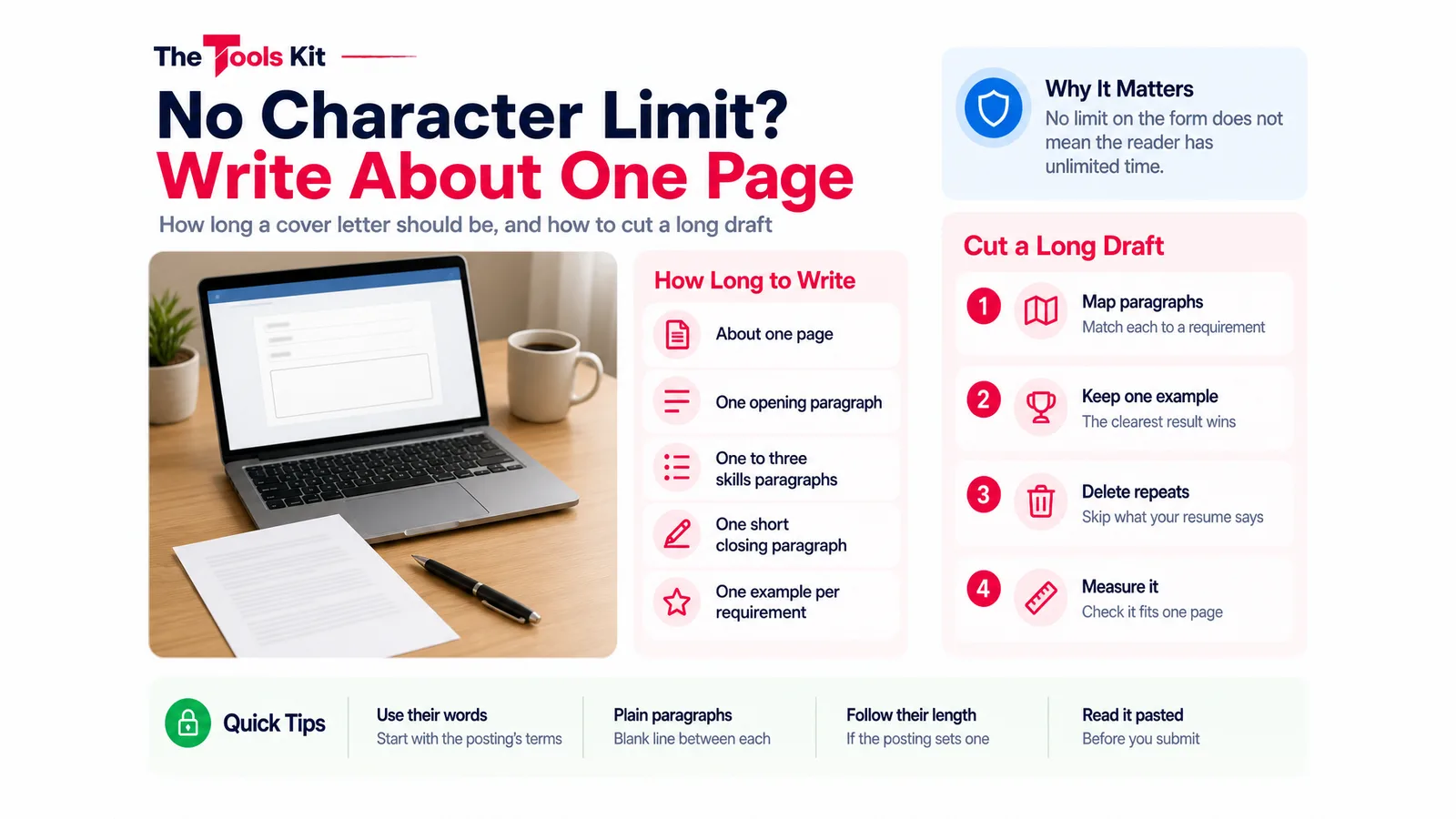
When an online application gives you a cover letter box with no character limit, write about one page anyway: an opening paragraph, one to three paragraphs that show you meet the job's main requirements, and a short close. "Unlimited" only means the form will not stop you. The person reading it still has a pile of applications, and a four-page letter asks them to do the sorting you should have done.
This guide covers how long to aim for, how to handle a posting that asks you to explain how you meet each requirement, and a routine for cutting a long draft without losing your best evidence.
Why "no limit" does not mean "write more"
A character limit is a technical setting on a form. Someone building the application system chose a large text field, or no cap at all, so that people could paste in a letter without it being cut off. It is not a signal from the hiring manager that longer is better.
Purdue OWL, a long-standing writing guide from Purdue University, says a cover letter should be one page and single-spaced. Its formatting tips describe the shape: one introductory paragraph, one to three paragraphs that highlight your skills, and one concluding paragraph. That shape fits a pasted text box just as well as a printed page.
A long letter also hides your strongest point. If you are well qualified, the reader should see the best example of that in the first few lines of each paragraph, not on page three.

When the posting asks you to show how you meet each requirement
Some applications say something like "explain with examples how you meet the criteria." That instruction changes what goes in the letter, not how much. Handle it like this:
- Copy the requirements list from the posting into a note, one per line.
- Give each requirement one short paragraph, or a few sentences, built around one specific example: the situation, what you did, and the result.
- Use the posting's own words at the start of each paragraph so the reader can tick them off quickly.
- Group small requirements. "Strong written communication" and "attention to detail" can share one example if a single piece of work shows both.
If the posting itself sets a length, such as a page count or a word count per requirement, that instruction wins over any general rule. Follow it exactly.
How to cut a four-page draft to one page
A long draft usually has the right material in it. The problem is that every example made the cut. Work through it in this order:
- Map every paragraph to a requirement. Write the requirement next to each paragraph. Anything that does not map to one is the first thing to delete, however good it sounds.
- Keep one example per requirement. If you wrote three stories that prove the same point, keep the one with the clearest result and save the others for the interview.
- Delete what repeats your resume. The letter should explain and connect, not list dates, titles and duties the reader can already see.
- Cut warm-up sentences. Lines like "I am writing to express my strong interest" and "I believe I would be a great fit" can usually go. Start with the role and your strongest reason.
- Shorten each example. Situation in one sentence, what you did in one or two, result in one.
| Keep | Cut |
|---|---|
| One example per requirement, with a result | Second and third examples of the same skill |
| The posting's own key words | Your full job history |
| Why this employer and role | Generic praise of the company |
| A short close with next steps | Long thank-you paragraphs |
Measure it before you paste
Paste the draft into the word counter to see the word, sentence and paragraph counts as you cut. It can also read a PDF or Word file if your draft lives in a document. To check it against one page, paste it into a document at your normal font size and margins and see whether it fits.
If you want to see exactly what you removed, put the long and short versions into text compare. It shows the two side by side and highlights every line that differs, which makes it easy to spot an example you cut by accident. A quick pass through the readability checker will flag very long sentences, which are often where a letter still drags.
When a different employer's form does set a cap, the character counter shows your total characters with and without spaces, so you know how far over you are before you hit submit.
Build it, then paste it into the box
If you would rather start from a clean structure, the cover letter generator has three fields that match the one-page shape: an opening paragraph, a "why you're a fit" section and a closing paragraph, with a live preview. Everything is built in your browser and nothing you type is uploaded. Use Print / Save as PDF if the application asks for a file.
For a text box, paste plain paragraphs with a blank line between them. Some forms strip formatting, so avoid bullet symbols and bold text that may arrive as stray characters. Read the pasted version once before you submit.
The same cutting habit works on the resume itself. Our guide on one-page or two-page resumes covers what to drop first.
Sources
Frequently asked questions
About one page. Purdue OWL recommends a one-page, single-spaced letter with an opening paragraph, one to three paragraphs on your skills and a closing paragraph. A form with no limit only means it will not cut your text off.
Only when the employer asks for it, for example by setting a page count or asking for a set number of words per requirement. In that case follow their instruction exactly. Without one, keep it to a page and save extra examples for the interview.
Give each requirement one short paragraph built around one example: the situation, what you did and the result. Start each paragraph with the posting's own words, and let one example cover two small requirements when a single piece of work shows both.
Paste plain paragraphs separated by a blank line. Some forms strip formatting, so bullet symbols and bold text can turn into stray characters. Read the pasted version once before you submit, and attach a PDF only if the form asks for a file.